



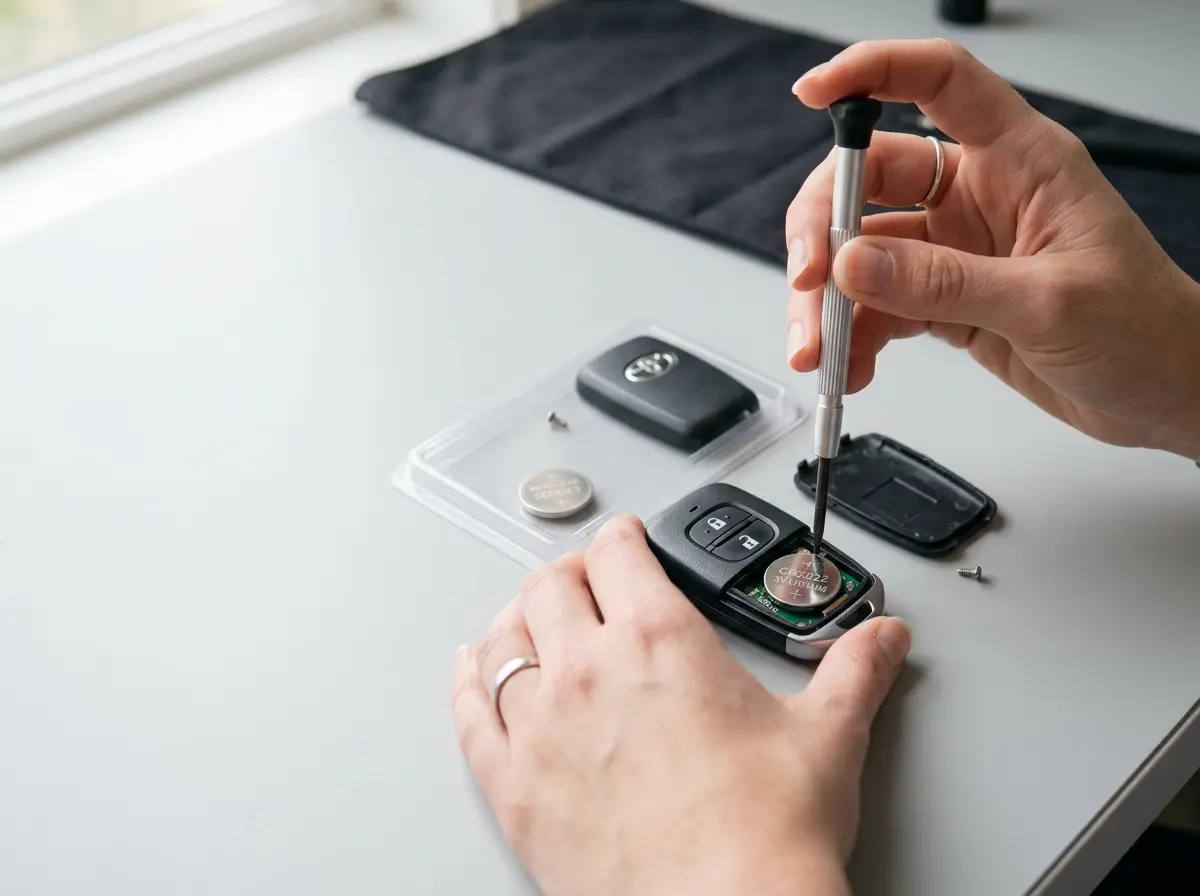
Your car key stops working at the worst possible time. You are standing in a parking lot, arms full of groceries, pressing the unlock button over and over, and nothing happens. Before you panic or call a locksmith, there is a good chance the fix takes five minutes and costs less than five dollars.
This guide covers everything you need to know about car key battery replacement, including symptoms to watch for, the exact steps to replace the battery yourself, and what to do when a fresh battery still does not solve the problem.
Quick Answer: Most car key batteries can be replaced in 5 to 10 minutes using a small flathead screwdriver and a replacement coin battery, typically a CR2032. Pop open the key fob, swap the old battery for a new one with the positive side facing the right direction, reassemble, and test. Total cost: under $5 at any drugstore or hardware store.
Signs Your Car Key Battery Needs Replacement
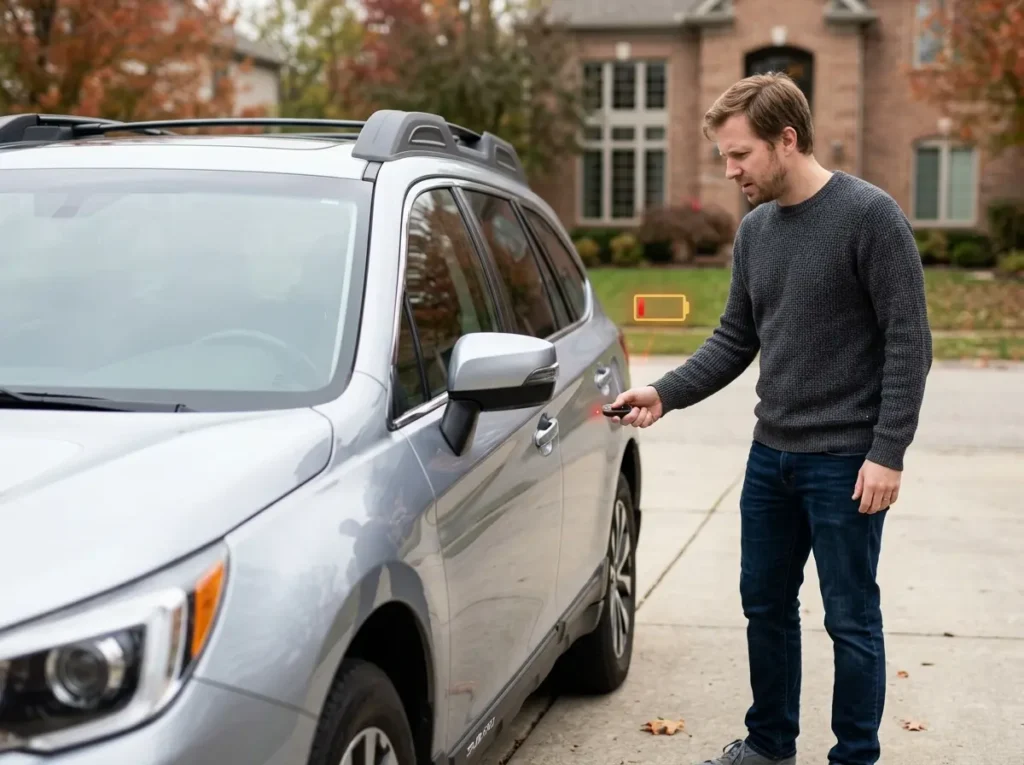
A weak key fob battery rarely fails all at once. It usually gives you several warning signs before it dies completely. Catching these early saves you from being stranded.
1. Reduced Signal Range
This is the first symptom most drivers notice. You used to unlock your car from halfway across a parking lot. Now you have to walk up within a few feet before the signal registers. The key fob transmits on a fixed radio frequency, and a weakening battery cannot power the signal as far as it once did.
2. Sluggish or Delayed Response
You press the button and there is a half-second pause before the locks click. Or you have to press it twice before anything happens. This inconsistency is a classic sign that the battery is running low on charge.
3. Push Start Button Not Responding
On vehicles with a push-button ignition, a dead key fob battery can prevent the car from starting entirely. Most manufacturers build in a backup method, but if your push start feels unreliable, check the key fob battery first.
4. Dashboard Warning Light or Message
Many modern vehicles, including models from Toyota, Honda, Ford, and BMW, display a “key fob battery low” message on the instrument cluster or infotainment screen. Do not ignore this message.
5. Locks Work Manually But Not Remotely
If your door lock works fine with the physical key but the remote buttons do not respond at all, the battery is almost certainly dead or nearly dead.
What Type of Battery Does a Car Key Use?
Most key fobs use a small, flat coin cell battery. The most common type is the CR2032, but your specific vehicle may use a different size. Always check the battery already inside your fob before buying a replacement.
Car Key Battery Comparison Table
| Battery Type | Common Use | Voltage | Average Lifespan | Popular Vehicle Brands |
|---|---|---|---|---|
| CR2032 | Most key fobs | 3V | 3 to 4 years | Toyota, Honda, Ford, Chevrolet, Nissan |
| CR2025 | Slim key fobs | 3V | 2 to 3 years | Subaru, some Honda models, Mazda |
| CR2016 | Ultra-thin remotes | 3V | 1 to 2 years | Older Toyota, some Lexus |
| CR1620 | Compact key fobs | 3V | 2 to 3 years | BMW, Mini Cooper |
| CR1632 | Certain GM fobs | 3V | 2 to 3 years | Some Chevrolet, GMC, Cadillac |
Expert Tip: Stick to reputable battery brands like Panasonic, Energizer, or Duracell. Generic or counterfeit coin batteries from unbranded sources can fail in weeks. The price difference is small, but the reliability difference is significant.
Tools You Need Before Replacing a Car Key Battery
You do not need any special equipment for this job. Most of what you need is already at home.
- Small flathead screwdriver (a coin like a quarter also works for some fobs)
- Replacement coin cell battery (check your owner’s manual or the old battery for the correct number)
- Soft cloth or paper towel (to protect the key fob surface from scratches)
- Tape (optional, for labeling the battery orientation before removal)
Some key fobs, particularly on BMW, Audi, and Mercedes vehicles, use a small Phillips screwdriver instead of a pry slot. It helps to have both on hand.
Step-by-Step Guide to Replace a Car Key Battery
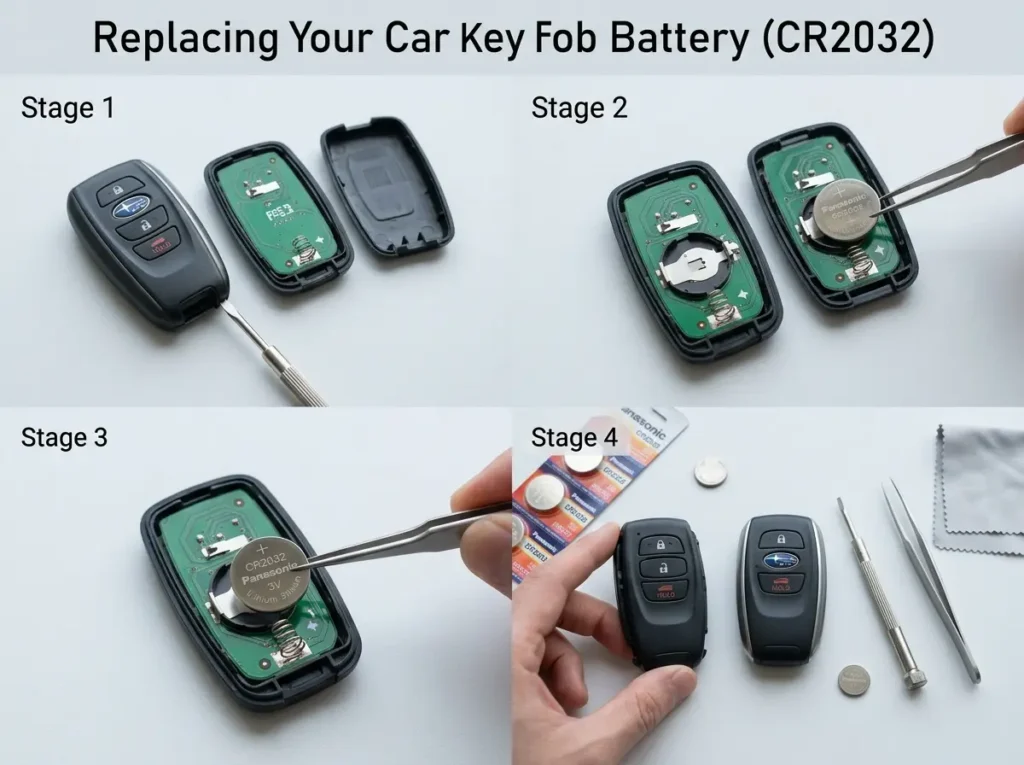
Follow these steps carefully and you will have a working key fob in under ten minutes.
Step 1: Find the Battery Type
Check your vehicle owner’s manual under the key fob section, or search “[your vehicle year, make, and model] key fob battery type” online. You can also open the fob first and read the number printed on the old battery.
Step 2: Remove the Mechanical Key Blade
Most key fobs have a hidden physical key blade inside. Press the small release button on the side or bottom of the fob and slide the metal key out. This exposes a seam around the body of the fob that you can pry open.
Step 3: Open the Key Fob Housing
Look for a small slot or notch along the seam of the fob. Insert the flathead screwdriver into this slot and gently twist to pop the two halves apart. Work your way around the edge if it does not open on the first try.
Warning: Never force the housing open aggressively. The plastic clips break easily, and a cracked fob body can cause signal problems even with a new battery.
Step 4: Note the Battery Orientation
Before touching the old battery, look at how it sits in the tray. The positive side (marked with a + symbol) typically faces up, but this varies by vehicle. Take a photo with your phone or make a quick note so you install the new battery correctly.
Step 5: Remove the Old Battery
Use your fingernail or the edge of the screwdriver to carefully pop the battery out of its holder. Do not stab the battery or use excessive force.
Step 6: Install the New Battery
Place the new battery into the holder in the same orientation as the old one. It should click or snap into place. Press it gently to confirm it is seated flat.
Tip: Avoid touching the flat surfaces of the battery with your fingers. Skin oils can slightly reduce conductivity over time. Hold the battery by its edges.
Step 7: Reassemble the Key Fob
Line up the two halves of the fob and press them together firmly until you hear the clips snap back into place. Reinsert the mechanical key blade.
Step 8: Test the Key Fob
Stand about 10 feet away from your vehicle and press the lock or unlock button. If it works, you are done. If it does not, move on to the troubleshooting section below.
How to Replace Battery in Push Start Smart Keys?
Smart keys for push-start vehicles work differently from traditional key fobs. They contain transponder chips and passive proximity sensors that do not require you to press a button.
Many luxury and modern vehicles use these smart keys, including those from Lexus, BMW, Audi, Volkswagen, Hyundai, and Kia.
To replace the battery in a smart key:
- Locate the hidden mechanical key blade and release it from the smart key body.
- Use the released blade to pry open the back cover (insert the blade tip into the seam).
- Some smart keys have a small screw holding the cover. Use a tiny Phillips screwdriver to remove it.
- Slide or pop out the battery tray.
- Replace the battery, noting orientation carefully.
- Reassemble and test by placing the smart key directly against the start button if the vehicle does not respond at first.
Important: After replacing the battery in some smart keys, you may need to reprogram or re-sync the key with your vehicle. This is more common on European brand vehicles. If your car does not recognize the key after a battery change, hold the key fob against the start button and press the brake pedal, then try starting the car.
Common Mistakes to Avoid When Replacing a Key Fob Battery
Even a simple job like this can go wrong. Here are the mistakes that cause the most problems.
- Installing the battery backward. The fob will not work at all. Double-check the + symbol orientation.
- Using the wrong battery size. A CR2025 in a CR2032 slot will sit loose and make intermittent contact.
- Cracking the housing. Prying too hard or in the wrong spot snaps the plastic clips. If the two halves do not seal properly, moisture and dirt get in.
- Buying cheap no-name batteries. These often have lower actual capacity than rated and fail far sooner.
- Forgetting to check for a screw. Some fobs use a tiny screw to hold the cover. Trying to pry those open damages the housing.
- Not testing at range. Press the button close up and at a distance of 15 to 20 feet to confirm the signal is strong.
Why Your Key Fob Still Does Not Work After Battery Replacement
If you installed a fresh battery and the key fob still does not work, the battery is not the only possible cause. Here is what to check next.
1. The Key Fob Needs Reprogramming
If the battery was completely dead for an extended period, some vehicles lose the key fob’s programming. The fix is to reprogram or re-sync the key. Many cars allow you to do this yourself, while others require a dealer visit.
Basic re-sync method (works on many vehicles):
- Get inside the car and close the door.
- Insert the key in the ignition and turn to ON (do not start).
- Press the lock button on the key fob within five seconds.
- Turn the ignition off.
- Repeat this sequence two to three times.
- Test the fob.
Check your owner’s manual for the specific procedure for your vehicle.
2. The Battery Contacts Are Corroded
Look inside the battery compartment for green or white residue. This is battery acid corrosion, often from a leaking old battery. Clean the contacts gently with a cotton swab dipped in rubbing alcohol and let them dry completely.
3. The Key Fob Has a Cracked Circuit Board
Physical damage inside the fob can prevent it from transmitting. If the fob was dropped or sat in water, the internal circuit board may be damaged. Replacement fobs are available from dealerships, locksmiths, or online retailers.
4. The Vehicle’s Receiver Has a Problem
Rarely, the issue is on the car side. If you have a spare key fob and it also does not work, the problem is likely with the car’s receiver module rather than the key itself.
Key fob still not working after replacing the battery? MG Transportation provides fast roadside assistance, lockout service, jump starts, and emergency towing throughout Milwaukee and nearby Wisconsin areas. If your vehicle will not unlock or start, our team is available 24/7 to get you back on the road quickly. Call now for immediate assistance. 414-973-1902
How Long Does a Car Key Battery Last?
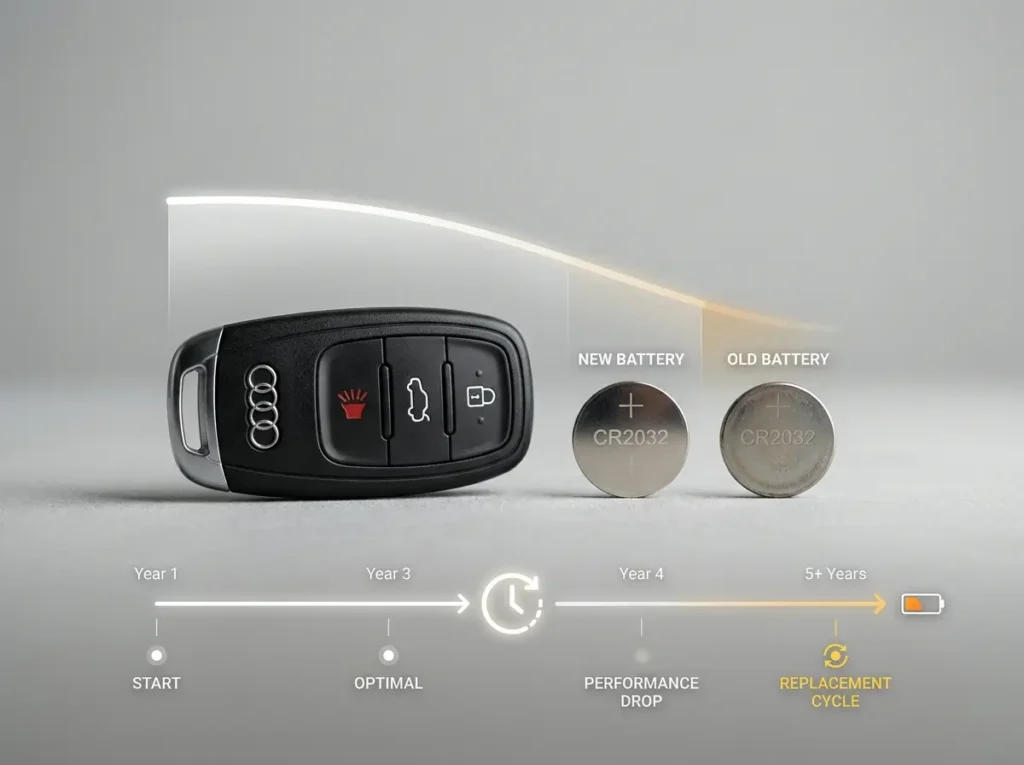
Under normal use, most key fob batteries last between three and five years. However, real-world lifespan varies based on several factors.
Factors that shorten battery life:
- Pressing the button unnecessarily many times per day
- Keeping the fob in your pocket where buttons get pressed accidentally
- Extreme heat or cold (hot cars in summer drain batteries faster)
- Keyless entry vehicles where the fob is active even without button presses
- Leaving the fob near electronic interference sources
Factors that extend battery life:
- Using a key case that prevents accidental button presses
- Storing spare keys in a cool, dry location
- Using quality batteries from major brands
According to general industry estimates, most drivers replace their key fob battery once every three to four years. Some high-use drivers replace theirs annually.
Cost to Replace a Car Key Battery in the USA
The cost difference between doing this yourself and paying someone else is dramatic.
Key Fob Battery Replacement Pricing Table
| Service Type | DIY Cost | Auto Parts Store | Locksmith | Dealership |
|---|---|---|---|---|
| Battery only (CR2032) | $1 to $5 | $3 to $8 | Included in labor | Included in labor |
| Battery replacement service | Free (you do it) | Often free with purchase | $15 to $35 | $20 to $50 |
| Key fob reprogramming only | Free (if DIY method works) | N/A | $40 to $80 | $50 to $100 |
| Full key fob replacement | $15 to $60 (aftermarket online) | $20 to $60 | $75 to $150 | $150 to $400+ |
Note: Dealership prices vary significantly by brand. Luxury brands like BMW, Mercedes-Benz, and Lexus typically charge more for replacement key fobs and programming services.
Tips to Make Your Car Key Battery Last Longer
These small habits can add a year or more to your key fob battery life.
- Use a key fob case or cover. It prevents accidental button presses in your pocket or bag, which is one of the biggest drains on battery life.
- Do not press the button repeatedly if the car does not respond. Holding down the button drains battery quickly. Step closer to the vehicle instead.
- Keep spare batteries on hand. Having a fresh CR2032 in your glove box means you are never stranded.
- Avoid leaving keys in hot cars. Temperatures above 140 degrees Fahrenheit, which a closed car can easily reach in summer, accelerate battery drain.
- Replace both keys at the same time. If you have two key fobs and one battery dies, the other is likely not far behind. Replace them together.
- Check the battery every two years. Some newer vehicles display battery life in the instrument cluster. For those that do not, a quick test of the range every year or two gives you an early warning.
Frequently Asked Questions
Q. What happens if my car key battery dies completely?
If the battery dies fully, the remote functions (lock, unlock, panic) stop working. On vehicles with push-button ignition, you may not be able to start the car remotely. However, most modern vehicles have a built-in backup. You can use the physical key blade to unlock the door, and for push-start cars, placing the fob directly against the start button often allows the car to detect it even with a dead battery.
Q. Can I drive with a dead key fob battery?
Yes, in most cases. If the car is already running, a dead key fob battery does not affect it. You can drive normally. The issue arises when you try to unlock the car or start it the next time. Use the hidden mechanical key blade to get in and, if needed, hold the fob against the start button.
Q. Do all key fobs use the same battery?
No. While the CR2032 is the most common, different vehicles use different coin cell sizes including CR2025, CR2016, CR1620, and CR1632. Always check the old battery or your owner’s manual before buying a replacement.
Q. How do I know which battery my key fob needs?
Open the key fob and look at the battery itself. The size is printed on the battery face, usually as a four-digit number starting with “CR.” If you cannot open the fob easily, check the owner’s manual or search online using your vehicle’s year, make, and model.
Q. Can extreme cold kill a key fob battery?
Yes. Very cold temperatures, particularly below 0 degrees Fahrenheit, can temporarily reduce a battery’s output. If your key fob stops working on a cold morning but functions normally indoors after warming up, cold is likely the culprit. If this happens repeatedly, replacing the battery with a fresh one helps.
Final Thoughts
Replacing a car key battery is one of the simplest and least expensive car maintenance tasks you can do yourself. In most cases, all it takes is a flathead screwdriver, the right coin cell battery, and about five minutes of your time.
The key is staying ahead of the problem. If your key fob range has shortened or the response feels sluggish, do not wait for it to stop working entirely. Swap the battery early, keep a spare in the glove box, and you will never find yourself locked out because of a two-dollar battery.
If you replace the battery and the fob still does not work, run through the troubleshooting steps in this guide before spending money on a locksmith or dealer visit. Most post-battery issues are simple re-sync problems you can fix at home in minutes.